iRemove iCloud Bypass for iPad 2017-2019 (Cellular) [WITH SIGNAL]
Все о товаре
![iRemove iCloud Bypass for iPad 2017-2019 (Cellular) [WITH SIGNAL]](https://i67.psgsm.net/all-spares.com.ua/p/909373/80/iremove-icloud-bypass-for-ipad-2017-2019-cellular-with-signal.webp?acfbc36a78093874712e8bd1ae1fef15)
![iRemove iCloud Bypass for iPad 2017 2019 Cellular [WITH SIGNAL]](https://i29.psgsm.net/all-spares.com.ua/p/909373/480/iremove-icloud-bypass-for-ipad-2017-2019-cellular-with-signal.webp?acfbc36a78093874712e8bd1ae1fef15)
Цифровой продукт. Товар не подлежит возврату или обмену.
Заказ будет обработан в рабочее время в течение 10-15 минут с момента, когда мы получим от вас оплату в полном размере и всю необходимую информацию. Мы вышлем инструкции для начинала работы на вашу электронную почту.
iPad iCloud Bypass for iPad models released in 2017-2019 by means of the iRemove Tools software.
Для новіших моделей iPad вам потрібно скористатись iCloud Bypass для моделей iPhone на базі A12 і вище [NO SIGNAL]
- А саме:
- iPad mini (5th gen) — 2019
- iPad Air (3rd gen) — 2019
- iPad (8th gen, 10.2") — 2020
- і новіші...
iRemove Tools allows you to bypass the Activation Lock Screen on iPad and enjoy fully functional device (calling, messaging, and other features will be available with no limitations).
Please note that the bypass tool does not support Lost, Stolen, and Blacklisted iPads!
Please remember that the bypass service only removes the iCloud Lock Restriction on a compatible iPad. Users who reset their device to factory settings, restore it, or update the iOS version will return the Activation Lock and should reuse the iRemove Software. The lifetime license allows reusing the service at no additional cost!
Supported Models
| Line | Year | Model |
| iPad 7th gen | 2019 | A2197, A2200, A2198 |
| iPad 6th gen | 2018 | A1893, A1954 |
| iPad 5th gen | 2017 | A1822, A1823 |
| iPad Pro 10,5-inch | 2017 | A1701, A1709, A1852 |
- Supported iOS Firmware: iOS 12 → iOS 18.0.1
- Supported macOS: from 10.11 and later.
- Supported Windows: Windows 7 and above.
Please note that the Windows version supports iOS firmware up to iOS version 14.8.1 and has no built-in jailbreak app. It is a must to jailbreak your handset by following Windows Jailbreak Instructions (read the instructions) before you can use the Windows version of iRemove.
If you have a SIM-locked, refurbished, or replaced iPad, you can bypass iCloud Activation Lock on it without a signal. It means it is impossible to receive and place calls after bypass, but you can enjoy all other features.
The service does not support Lightning to USB-C cables. So please ensure you have a Lightning to regular USB cable or a USB-C adapter with MacBook.
The software does not run on Hackintosh. Ensure you have an original macOS and an Apple computer.
How it works
- While placing your order, indicate the IMEI of your iPad. Where to find IMEI?
- When your order is completed, you will receive a notification to your email.
- Download iRemove software
- Connect your iPad to a computer using a USB cable (USB Type-C adapter).
- Press "Start" to bypass the Activation Lock. The tool will inform you when it finishes its job. Please don't disconnect the smartphone until the success.
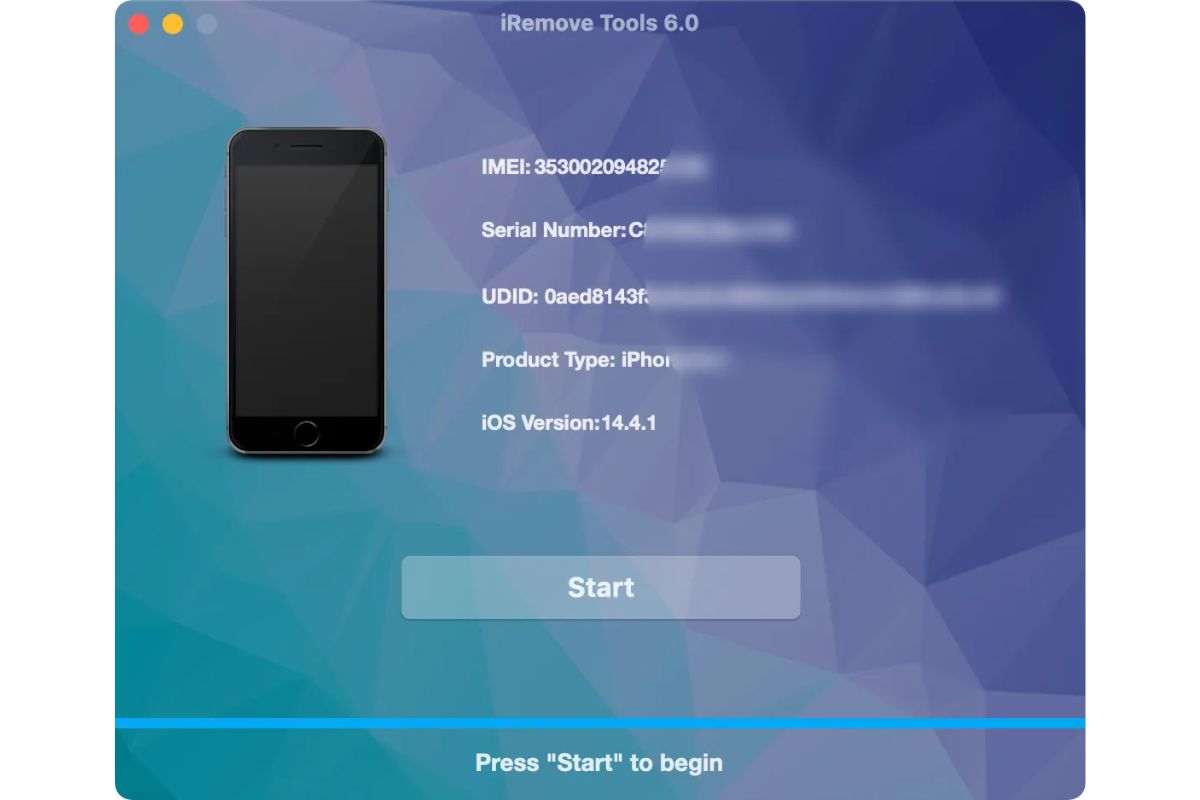
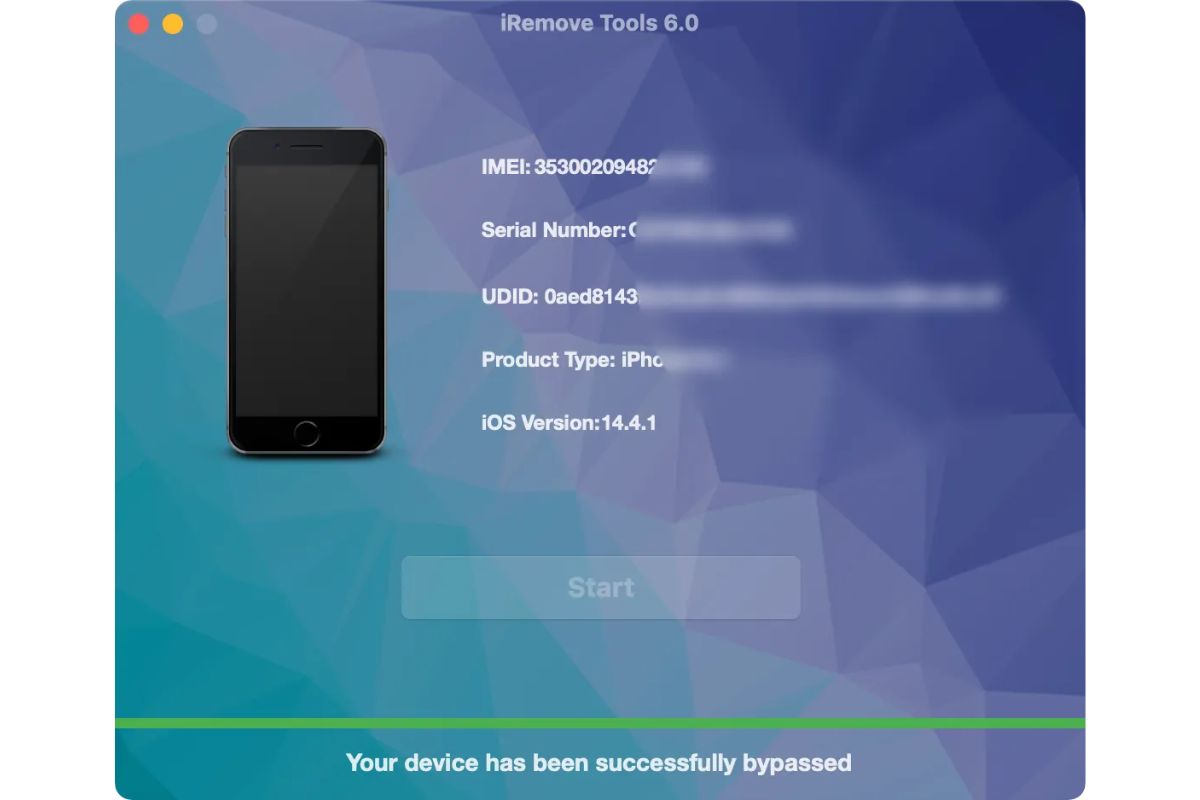
Инструкция
При оформлении заказа укажите IMEI вашего iPhone / iPad. Где найти IMEI?